Handy writing tools make my life as an author/blogger/poet so much easier. Here’s two I have used for years and one I added in the last few years.
Scrivener 3.5.2

This app has become my go-to for beginning and organizing any writing project because of its power to keep everything in one place. Now, I don’t have to wonder where my files are—they are all in this app.
I really realized its power when I wrote the biography of Marshall Flippo, Just Another Square Dance Caller. I had 258,000 words to start with and so much research and files. This program saved my life! And I continue to use it today.
- Tailor-made for long writing projects
- Has Project Templates for Blank, Fiction (Novel, Novel with Parts, and Short Story),
- Non-Fiction (Essay – Chicago Style, General Non-Fiction, Non-Fiction with Sub-heads, Paper –
- APA, Paper – MLA, Research Proposal, Undergraduate Humanities Essay), Scriptwriting (BBC
- Radio Scene Style, BBC Taped Dramas, Comic Script, Documentary Script, Screenplay, Stage
- Play (UK), Poetry & Lyrics and Miscellaneous (Persuasive Lecture and Recipe Collection). It
- has an Interactive Tutorial, User Manual and Video Tutorials.
- k Scrivener 3.5.2 costs $59
How To Navigate
1. Download app – have Free Trial – and install.
2. Open App and select Template
3. Gives General Suggestions on Genre – Can import
4. LEFT MENU: Collections & Binder Info – Different for each genre – Shows your folders and files
5. MENU ACROSS THE TOP OF WINDOW: Differs with each genre
6. TOP MENU: File, Edit, Insert, View, Navigate, Project, Documents, Format, Window, Help
7. INSPECTOR – on the side
8. Backups when you save and quit–QUIT APP EACH TIME so that a backup version is generated. Important if there’s any problems later.
How to Add URL’s to Research Folder
1. Go to Research Folder
2. Go File>Import>Web Page
3. Paste in URL
4. Page appears in Research Folders
Resources:
- Basic Help – https://scrivener.tenderapp.com/help/kb
- Forums – Literature & Latte – https://www.literatureandlatte.com/forum/index.php
- 8 Ways Scrivener Will Help You Become A Proficient Writer Overnight
Vellum

This program has grown with me and offers amazing beautiful choices today it didn’t have originally. It costs more than some of the other apps in its class, but I feel it’s worth it! As I’m working, I can see a preview to the right of what it will look like in the device selected. And recently they have added beautiful designs for lead pages in a chapter, emojos and so much more.
- Gorgeous Print Interiors
- Beautiful Ebooks
How to
1. Download Vellum & install
2. Open – Immediately you have the choice to “Import Word File, so click and import document.
3. MENU IN OPEN WINDOW: Navigator and Preview
4. LEFT MENU: Contents & Styles
Contents – Placed your document into chapters.
Styles – Choices for Heading, First Paragraph, Paragraph After Break, Ornamental Break, Block Quotation, Verse, Photograph, Portrait, Caption, Header and Footer, & Body
5. MENU ACROSS BODY: Asterisk Pull down Menu (Subhead, Ornamental Break, Image,Alignment Block, List, Block Quotation, Verse, Web Link and Store Link–PUT ALL TEXT WITHIN ONE OF THESE FOR FORMATTING. Bold, Italics and Underline text. Pull-down Arrow for Font Choices: Small Caps, Sans Serif, Monospace, Superscript Up, Superscript Down, Strikethrough. Right Margin Word Count: Total Document
6. MENU ACROSS PREVIEW: Ebook Formats or Print, Move Forward or Back in Document, Generate Button
7. TOP MENU: File, Edit, Chapter, Text, View, Window, and Help
8. SAVE OFTEN
Resources:
- Official Web Site – https://vellum.pub
- Review – https://www.facebook.com/groups/818116160203635/posts/1262135099135070/?comment_id=1262168185798428
- How to Format Your Ebook and Print book with Vellum by Joanna Penn
Squoosh

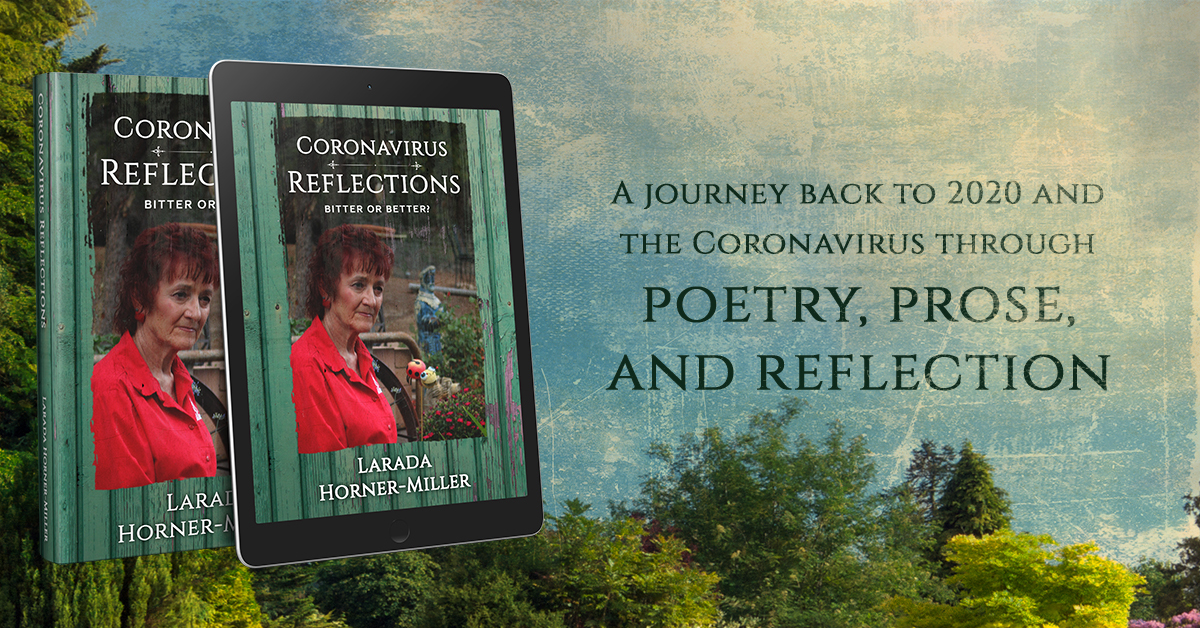
When I wrote Coronavirus Reflections: Bitter or Better? in 2021, I had lots of photos because of the topic. I’m a visual learner and I felt the photos helped offset the depth of the emotions we felt with the pandemic. When I published it as an e-book, it’s size was off the map, so after a session with my book coach and group, my book coach asked if I compressed the pictures. No, I had not even thought of it. So I went looking for an app and found Squoosh and have been using it ever since. On top of that, it’s FREE for both Mac and PC.
I use it weekly to compress the beautiful photos I include in my weekly blog. Since 2021, I use it to compress the photos I include in any e-book.
How to
- Download the app
- Open app
- Click and drag photo into app
- Immediately it compresses photo, but I usually go Under the Edit menu on the right to the Resize part & select “Preset” on the menu to the right, and resize it by 50% more.
- Then to save it, click on the download icon at the bottom of the menu on the right.
That’s it!
Resources:
- Official Website: – https://squoosh.app
- Review
Finally,
Writers need all the support we can get. These three apps have helped me tremendously over the years! Yes, they are handy and make my life so much more sane.


My Newest Books

Time Measured Out!: Navigating Life’s Journey Through Poetry, Book #2 – $.99 for limited time

Is My Truth Universal?: A Woman’s Poetic Odyssey e-book – FREE

Was It a Dream?: Navigating Life’s Journey Through Poetry, Book #1 – e-book or $3.99

Hair on Fire: A Heartwarming & Humorous Christmas Memoir e-book on sale for $1.99
Buy My Audio Books:
This Tumbleweed Landed

Let Me Tell You a Story

Hair on Fire: A Heartwarming & Humorous Memoir Audiobook


[mc4wp_form id=3447]